 渗透之路
渗透之路
使用searchsploit 搭配nmap扫描结果自动寻找组件漏洞
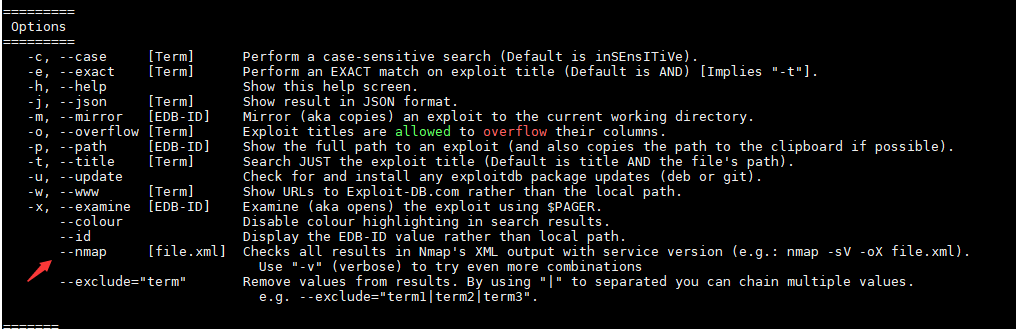
首先放出searchsploit 的部分说明:
=========
 Options
=========
   -c, --case [Term] Perform a case-sensitive search (Default is inSEnsITiVe).
   -e, --exact [Term] Perform an EXACT match on exploit title (Default is AND) [Implies "-t"].
   -h, --help Show this help screen.
   -j, --json [Term] Show result in JSON format.
   -m, --mirror [EDB-ID] Mirror (aka copies) an exploit to the current working directory.
   -o, --overflow [Term] Exploit titles are allowed to overflow their columns.
   -p, --path [EDB-ID] Show the full path to an exploit (and also copies the path to the clipboard if possible).
   -t, --title [Term] Search JUST the exploit title (Default is title AND the file's path).
   -u, --update Check for and install any exploitdb package updates (deb or git).
   -w, --www [Term] Show URLs to Exploit-DB.com rather than the local path.
   -x, --examine [EDB-ID] Examine (aka opens) the exploit using $PAGER.
       --colour Disable colour highlighting in search results.
       --id Display the EDB-ID value rather than local path.
       --nmap [file.xml] Checks all results in Nmap's XML output with service version (e.g.: nmap -sV -oX file.xml).
                                Use "-v" (verbose) to try even more combinations
       --exclude="term" Remove values from results. By using "|" to separated you can chain multiple values.
                                e.g. --exclude="term1|term2|term3".
可以看到有这么一行
--nmap [file.xml] Checks all results in Nmap's XML output with service version (e.g.: nmap -sV -oX file.xml).
所以我们可以用nmap对模板进行扫描然后让searchsploit从nmap的xml格式扫描结果里面检查是否有已知的组件漏洞。nmap扫描参数里面必须包含 -v (e.g.: nmap -sV -oX file.xml)
扫描完成后这么调用:
searchsploit --nmap file.xml
可能有如下提示:
[!] Please install xmllint
[i] Kali Linux -> apt -y install libxml2-utils
这样需要我们先执行命令apt -y install libxml2-utils安装libxml2-utils,
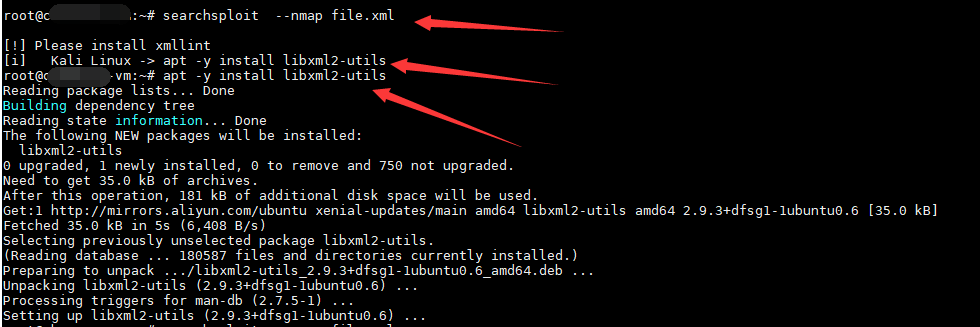
安装完毕后再执行
searchsploit --nmap file.xml
回显如下:
[i] SearchSploit's XML mode (without verbose enabled). To enable: searchsploit -v --xml...
[i] Reading: 'file.xml'

[i] /usr/local/bin/searchsploit -t apache httpd 2 4 28
...
